

Alterar o status de uma tarefa (iOS)
Fundo
Você pode alterar o status de uma tarefa ao editá-la na ferramenta Tarefas .
Obs.: se tiver concluído o trabalho associado a uma tarefa e quiser fechá-la, selecione o status Fechado . Se quiser fechar uma tarefa sem concluí-la porque o trabalho não é mais necessário, escolha o status Nulo .
Fatores a considerar
-
Permissões de usuário necessárias:
-
Consulte Tarefas - Permissões de usuário.
-
-
Informações adicionais:
-
Você também pode alterar o status de uma tarefa ao adicionar um comentário.
-
Quando uma tarefa é colocada no status Nulo ou Fechado, o sistema não enviará mais notificações automáticas por e-mail para essa tarefa.
-
Etapas
-
Acesse a ferramenta Tarefas usando o aplicativo do Procore em um dispositivo móvel iOS.
-
Toque na tarefa cujo status deseja alterar.
-
Toque no status atual da tarefa.
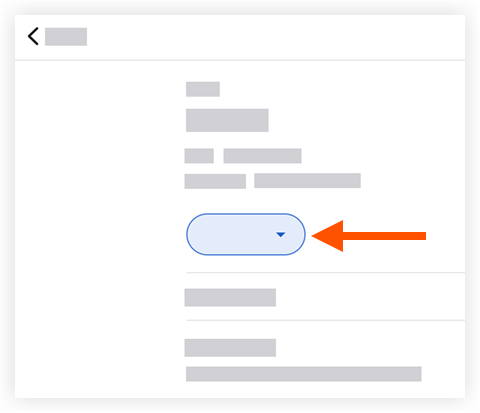
-
Toque em uma das seguintes opções:
Nota: Essa ação atualiza automaticamente o status do item de tarefa.-
Iniciado: Indica que a tarefa foi criada.
-
Em andamento: Indica que o trabalho na tarefa foi iniciado.
-
Pronto para revisão: Indica que a tarefa está concluída e pronto para revisão.
-
Fechado: Indica que a tarefa e a revisão do trabalho foram concluídas com êxito.
-
Vazio: Indica que a tarefa foi marcada como nula.
-