

Visualizar e filtrar instantâneos na ferramenta Instantâneos de status do projeto
Fundo
A ferramenta Instantâneos de status do projeto permite que os usuários visualizem, filtrem e abram instantâneos dos projetos do Procore da sua empresa.
Coisas a considerar
-
Permissões de usuário necessárias:
-
Para visualizar todos os instantâneos de status do projeto, permissão "Somente leitura" ou superior na ferramenta Instantâneos de status do projeto.
-
Para ver o instantâneo, os usuários também precisam da permissão "Somente leitura" ou superior na ferramenta Orçamento.
-
-
Para alterar o status de um instantâneo de status do projeto ou exportar uma lista de instantâneos, permissão "Somente leitura" ou superior na ferramenta Instantâneos de status do projeto.
-
Passos
-
Acesse a ferramenta Instantâneos de status do projeto de nível de empresa.
-
Localize um instantâneo na lista.
Obs.: se quiser visualizar o instantâneo, clique no ícone Abrir na coluna Projeto.
Importante
Para ver instantâneos de status de projetos em projetos específicos do Procore e seus próprios instantâneos ad hoc, conceda aos usuários acesso às ferramentas Orçamento nesses projetos.
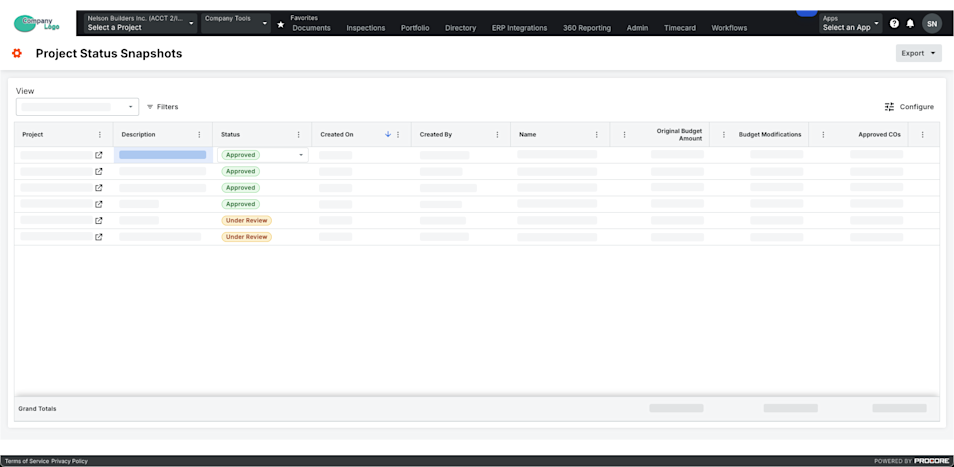
-
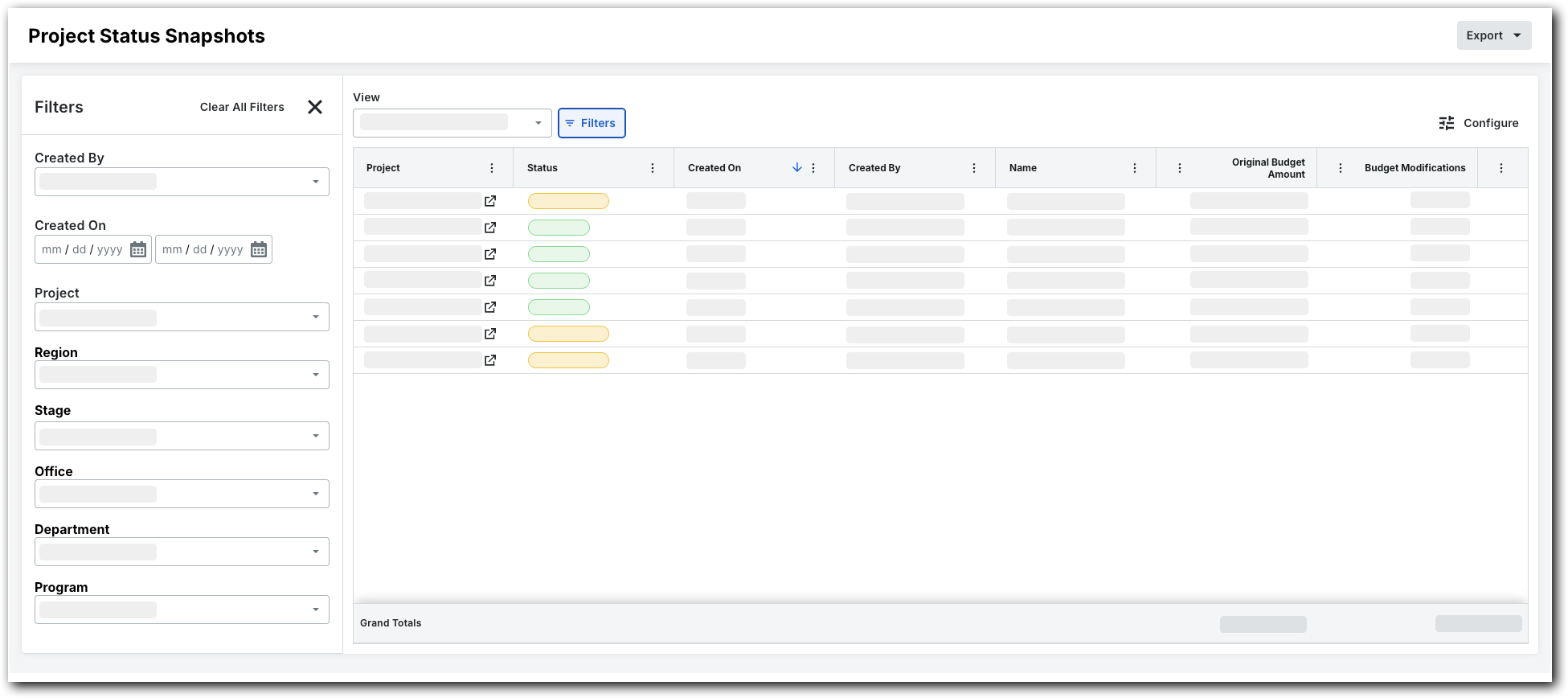
Para filtrar o visualização em lista, clique em Filtros.
Isso abrirá o painel Filtros.
-
Defina os filtros disponíveis para se concentrar nos instantâneos que deseja visualizar. As opções de filtro são:
-
Criado por. Escolha um ou mais criadores de instantâneos.
-
Criado em. Defina um período de tempo usando o calendário.
-
projeto. Selecione projetos específicos para visualizar seus instantâneos.
-
Região. Escolha uma região do projeto.
-
fase. Escolha um fase do projeto.
-
-
Status. Selecione um status personalizado. Para obter detalhes sobre como criar um status personalizado, consulte Criar um status personalizado para instantâneos de status do projeto.
-
Escritório. Selecione um escritório.
-
Departamento. Escolha um departamento.
-
programa. Selecione um programa.